In today’s digital healthcare landscape, secure and efficient communication is more critical than ever. The Health Insurance Portability and Accountability Act (HIPAA) establishes strict guidelines to safeguard patient information—and one of the most effective ways to stay compliant is by using a HIPAA-compliant messaging app.
These specialized communication tools are designed to protect sensitive health data while streamlining conversations between providers, staff, and patients. In this blog, we’ll explore seven of the best HIPAA-compliant messaging apps for 2026, breaking down their standout features and benefits to help you find the ideal solution for your organization. Let’s dive in.
TL;DR Summary:
- HIPAA-compliant messaging apps are essential for secure, efficient communication in healthcare.
- They help protect patient data, meet regulatory requirements, and streamline operations.
- Key benefits include avoiding fines, improving productivity, reducing costs, and building patient trust.
- Must-have features: encryption, user authentication, audit logs, remote wipe, role-based access, and a signed BAA.
- Top 7 HIPAA-compliant apps for 2026:
- EngagedlyFX – Best for internal comms and frontline healthcare teams.
- Klara – Great for patient-provider communication.
- TigerConnect – Powerful for clinical team collaboration.
- Spruce Health – All-in-one platform with telehealth tools.
- Paubox – Simplifies HIPAA-compliant email and text.
- Spok – Integrates well with EHR and scheduling.
- Notifyre – Offers secure SMS and fax with flexible pricing.
Introduction to HIPAA-Compliant Texting
HIPAA-compliant messaging apps are purpose-built for healthcare environments, ensuring that sensitive patient information is securely communicated and safeguarded from unauthorized access. These platforms adhere to strict regulatory guidelines, helping organizations avoid data breaches and maintain patient confidentiality.
HIPAA compliance for messaging is evaluated across four core parameters that apply to any entity handling Protected Health Information (PHI):
- Creation of PHI
- Maintenance and storage
- Reception or access
- Transmission or forwarding
To be considered HIPAA-compliant, a messaging app must address each of these areas with robust administrative, technical, and physical safeguards. Additionally, these apps should include built-in security measures such as encryption, secure logins, and remote wipe capabilities to protect the devices they operate on.
Why It Matters: Real-World Scenarios
Consider this:
A physician is treating an elderly patient with limited mobility who cannot frequently visit the clinic. The physician needs a secure, efficient way to check in remotely and monitor the patient’s condition. A HIPAA-compliant texting app enables that continuity of care without compromising data security.

In another scenario, a nurse in the ICU urgently requires dosage clarification for a critical patient. Rather than waste precious time navigating phone trees or paging systems, a quick, secure message to the pharmacy or physician ensures fast, accurate communication—possibly saving the patient's life.
These examples highlight why secure, compliant messaging is no longer optional in modern healthcare—it’s a mission-critical tool for delivering timely, high-quality care.
Implementation Best Practices & Deployment Tips
Deployment Tips and Best Practices for HIPAA Messaging Apps
When implementing a HIPAA compliant messaging app in a healthcare or clinical environment, follow these steps to ensure successful adoption and smooth integration:
- Conduct a readiness assessment
Evaluate existing workflows, device inventory, connectivity issues, and user roles. Identify who will use the app, including nurses, physicians, and administrative staff, and under what conditions, such as on-call, remote clinics, or field operations. - Start with a pilot or phased rollout
Select one department, like the ER or ICU, as a pilot group. Deploy the app, collect feedback, resolve any configuration issues, and then expand gradually across other departments. - Provide training and support
Offer short video tutorials, FAQs, and live Q&A sessions. Focus on how to use secure messaging features correctly, when to use the app versus other communication methods, and key HIPAA compliance guidelines. - Define usage policies and governance
Clearly outline when messaging is appropriate, what PHI can be shared, message retention periods, and escalation paths. Make sure these policies are enforceable and communicated to all users. - Ensure integration with workflows and EHR systems
Whenever possible, integrate the messaging app with your electronic health records, scheduling, directory services, and clinical systems to reduce app switching and streamline workflows. - Monitor adoption and provide incentives
Track usage metrics such as logins, messages sent, and active users. Recognize early adopters, address low adoption issues, and adjust training or policies as needed to improve engagement. - Establish regular review and auditing
Conduct quarterly audits, review logs for anomalies, refine role-based permissions, and gather user feedback to continuously improve the messaging program.
Following these best practices will increase staff buy-in, reduce resistance, and ensure your HIPAA compliant messaging app becomes an integral part of daily clinical operations, improving both communication efficiency and regulatory compliance.
2026 Market Trends & Statistics in Healthcare Messaging
In 2025–2026, healthcare organizations have rapidly increased their adoption of HIPAA compliant messaging apps. According to industry reports, over 68% of hospitals now use secure messaging platforms for staff communication, up from 52% in 2022. Data breach reports indicate that texting and messaging misuse accounted for 22% of all PHI breach incidents in 2023, highlighting the critical importance of secure messaging for compliance. Additionally, internal surveys show that 81% of clinicians prefer using messaging tools over pagers or email for fast and efficient communication when the platforms are properly secured. These trends demonstrate that implementing a HIPAA compliant messaging app is no longer optional—it is essential for modern healthcare operations.
Benefits of Using a HIPAA-Compliant Messaging App
HIPAA-compliant messaging apps offer more than just data protection—they enable healthcare organizations to modernize operations, improve care delivery, and reduce risk. Here are some of the most compelling benefits for both healthcare providers and business stakeholders:
1. Avoid Costly Penalties
Non-compliance with HIPAA regulations can result in steep fines—up to $1.5 million annually per violation category. By using a HIPAA-compliant messaging platform, healthcare organizations proactively protect themselves from regulatory risk by ensuring that all digital communications are encrypted, secure, and auditable. It’s not just best practice—it’s a legal safeguard.
2. Enhance Team Productivity
HIPAA-compliant apps significantly streamline workflows. Instead of relying on outdated methods like faxes, printed memos, or desktop-bound emails, providers can securely exchange updates, lab reports, prescriptions, and care instructions in real-time—right from their mobile devices. This level of immediacy speeds up decision-making, reduces administrative overhead, and ultimately leads to faster, more coordinated patient care.
3. Lower Operational Costs
Let’s look at two contrasting approaches:
- Scenario A: A hospital relies on computers, printers, fax machines, and manual communication processes.
- Scenario B: The same hospital transitions to a secure, HIPAA-compliant messaging app.
In Scenario A, communication is slow, maintenance costs are high, and the risk of data breaches increases due to multiple manual touchpoints. Scenario B, on the other hand, enables secure mobile communication, reduces reliance on expensive hardware, and simplifies IT support needs. The result? Lower operational costs, improved security, and a more agile workforce.
4. Support Compliance with Audit Trails and Access Controls
Built-in audit logs allow administrators to track who accessed what data, when, and from where. This accountability is crucial for HIPAA compliance, but also for internal reviews, quality assurance, and incident response. Role-based access controls further ensure that only authorized personnel can view or share specific patient information.
5. Scalability for Growth and Multi-Site Operations
As your organization grows or expands across locations, a HIPAA-compliant messaging platform ensures consistent, secure communication. Many of these solutions integrate easily with EHR systems, scheduling tools, and hospital directories, providing a scalable communication framework for multi-site operations.
6. Build Trust with Patients and Partners
Patients are becoming more aware of their data privacy rights. By adopting secure, compliant communication tools, your organization demonstrates a commitment to protecting their personal information—strengthening trust, improving satisfaction scores, and enhancing your reputation with both patients and business partners.
Must-Have Features for a HIPAA-Compliant Messaging App
A HIPAA-compliant messaging app ensures patient data stays protected while keeping communication fast and efficient.
Here are the must-have features to look for—plus how they help in everyday scenarios:
1. End-to-End Encryption
Why it matters: All messages (texts, files, images) should be encrypted both in transit and at rest.
When a doctor texts a nurse a patient’s lab results, encryption ensures only the intended recipient can read it—even if someone intercepts the message.
2. User Authentication
Why it matters: Strong authentication prevents unauthorized access.
A nurse logs in using two-factor authentication (2FA) before accessing sensitive patient details on her phone, ensuring only verified staff can view PHI (Protected Health Information).
3. Audit Trails & Access Logs
Why it matters: HIPAA requires detailed logs of who accessed what and when.
A clinic admin can track if a staff member opened a patient’s record after hours and take necessary follow-up actions.
4. Remote Wipe Capability
Why it matters: If a device is lost or stolen, PHI must be wiped remotely.
A doctor forgets his phone in a cab—IT uses the app’s admin panel to wipe all patient conversations remotely within minutes.
5. Message Expiration & Auto-Deletion
Why it matters: Automatically removing old messages reduces the risk of accidental exposure.
A medical intern receives patient vitals via secure chat. After 24 hours, the app auto-deletes the thread to keep the device clean.
6. Role-Based Access Control (RBAC)
Why it matters: Not everyone needs access to everything. RBAC limits data exposure.
A front desk staff can only view appointment schedules, while physicians access full patient histories.
7. Secure File Sharing
Why it matters: Medical imaging, prescriptions, and forms must be shared securely.
A radiologist sends an X-ray to a surgeon via the app for pre-surgery planning—no emails, no unprotected attachments.
8. Offline Access with Sync
Why it matters: In emergencies or low-connectivity zones, users still need access.
A rural healthcare worker opens the app offline to review patient notes during a field visit. Once back online, it syncs securely.
9. Admin Dashboard for Compliance Oversight
Why it matters: Admins need visibility into user activity and app health.
Compliance officers can download usage reports, track data sharing, and ensure everyone follows HIPAA policies.
10. Business Associate Agreement (BAA)
Why it matters: Any app handling PHI must offer a signed BAA to be HIPAA-compliant.
Before onboarding a new messaging solution, your legal team signs a BAA with the vendor to formalize compliance responsibilities.
While many tools in this list focus on secure messaging, healthcare teams often need more than just communication. In high-pressure environments, information must translate into action. Platforms that combine communication with workflows, training, and compliance tracking help ensure that critical updates are not just received, but acted upon.
7 Best HIPAA-Compliant Messaging Apps for 2026
As healthcare institutions move toward secure, digital-first communication, HIPAA-compliant messaging apps have become essential for protecting patient privacy and streamlining workflows. Here’s a list of the top 7 apps that ensure compliance while enhancing communication across medical teams and patient care.
1. EngagdlyFX

EngagedlyFX is a frontline workforce platform built to turn day-to-day frontline signals into clear, actionable decisions.
It connects Operate, Connect, and Perform into one intelligent platform powered by AI and automation, where work is structured through workflows that run every shift. From onboarding and training to task execution, communication, performance, and compliance, everything is connected and guided without manual coordination.
What sets EngagedlyFX apart is how AI works across the system. It continuously analyzes signals from operations, workforce activity, and performance to identify what needs attention, surface risks early, and recommend the next best actions. Instead of managers interpreting dashboards, the system highlights priorities, triggers workflows, and drives follow-through.
The result is a more controlled, responsive frontline where teams act faster, managers spend less time coordinating, and productivity, safety, and retention improve at scale.
Best For: Healthcare, manufacturing, and distributed frontline teams that need execution, not just communication
Key Features:
- Connect: Chat, Employee Voice, News Feed, Onboarding, Push Notifications
- Operate: Task management, Shift Scheduling, Workflows, and Incident Reporting, On-site Training
- Perform: Goals, Lifecycle Feedback, Recognition, and Performance Reviews
- Intelligence: AI-powered insights to surface risks, Manager Coach, Workflows, and Inbox
Limitations:
- Broader platform compared to lightweight messaging tools
- Requires structured rollout to unlock full value
2. Klara

What it is: A HIPAA-compliant patient communication platform that pulls text, web chat, voicemail transcriptions, and call-to-text into one inbox. Automates appointment reminders, digital intake, and post-visit follow-ups. Klara was acquired by ModMed in February 2022 and now operates as part of ModMed's ecosystem — which is worth knowing if you're already on a ModMed EHR, because the integration runs much deeper there.
Best for: Outpatient and specialty practices drowning in phone calls — dermatology, plastic surgery, OB-GYN, ENT, pediatrics, and primary care are the common use cases.
Key features:
- HIPAA-compliant two-way messaging
- Multi-channel patient communication (text, web chat, phone, voicemail transcription)
- Telemedicine with virtual waiting rooms and video visits (no patient login or app download required)
- AI-powered message routing
- Appointment reminders and workflow automation
- Digital intake forms
- EHR/PM integrations — named integrations include eClinicalWorks, AdvancedMD, Greenway Health, ModMed, Nextech, and athenaOne
Limitations:
- EHR integration quality varies a lot depending on which EHR you use — this is the most consistent complaint in reviews
- Reporting is thin
- Occasional glitches and message delivery hiccups
- Klara does not offer a public API, which limits custom integration work
- Best results if you're on ModMed's EMA; integration with other EHRs is more manual
Pricing: Not publicly listed. Klara sells through sales-led custom quotes based on practice size, specialty, and which modules you want. Monthly and annual billing available.
3. TigerConnect
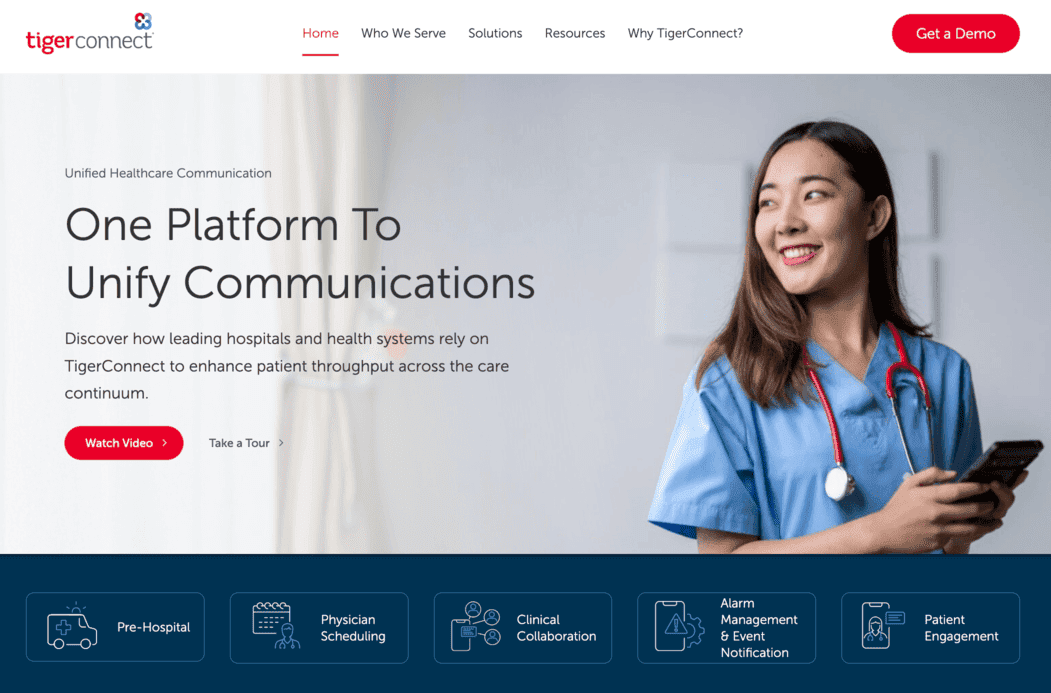
What it is: A cloud-native clinical communication platform built for healthcare organizations of pretty much any size. Care teams get secure messaging, voice, and video, plus integrations with EHRs and on-call scheduling to tie clinical workflows together. Used by over 30,000 healthcare organizations in the US and Canada.
Best for: Hospitals, health systems, and larger healthcare organizations that want one platform covering messaging, patient engagement, alarm management, and physician scheduling.
Key features:
- HIPAA-compliant secure messaging
- Voice and video communication
- Patient engagement and text reminders
- Alarm management and clinical alerting
- Physician on-call scheduling
- EHR integrations
- Team and group messaging, broadcast messaging
- Mobile apps for iOS and Android
Limitations:
- Contract terms are unusually rigid. TigerConnect operates on a fixed-price, fixed-quantity annual subscription model. You can add licenses mid-contract for an additional fee per user, but reducing your license count isn't possible, and early cancellation isn't permitted. Budget like you're committing for the full term, because you are.
- Pricing isn't published and gets negotiated per organization
- Some users miss basic niceties like in-chat @mentions that Teams and Slack have had for years
- Enterprise add-ons can blow up the total spend fast
Pricing: Custom, subscription-based. Third-party pricing guides peg the base messaging module at roughly $8–$15 per user per month, with total cost depending on which modules you add (Clinical Collaboration, Alarm Management, Patient Engagement, Physician Scheduling, Advanced Integrations).
4. Spruce Health
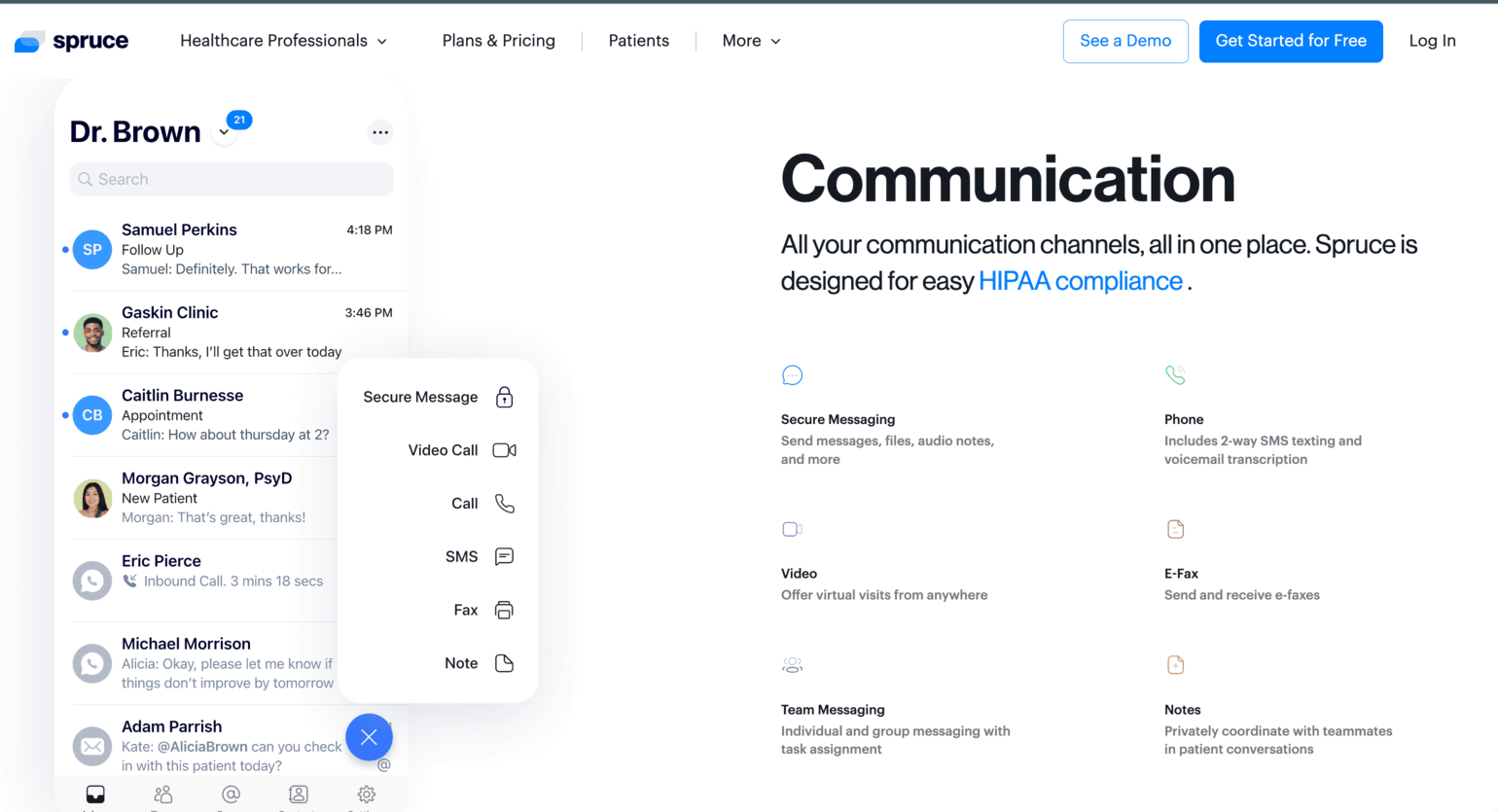
What it is: A HIPAA-compliant email platform that encrypts every outbound email automatically — no portals, no passwords, no extra clicks for the recipient. Plugs into Google Workspace, Microsoft 365, and Microsoft Exchange. Higher tiers add AI-powered inbound protection against phishing and malware. HITRUST CSF certified.
Best for: Small to mid-sized healthcare practices that want HIPAA-compliant email without forcing patients or staff to learn anything new.
Key features:
- Automatic outbound email encryption (zero-step for recipients)
- AI-powered inbound threat detection
- Integration with Google Workspace, Microsoft 365, and Microsoft Exchange
- Data loss prevention (DLP)
- Email archiving
- HIPAA-compliant email API
- BAA included with every plan
- HITRUST CSF certification
Limitations:
- Email only — not a patient engagement platform, not a messaging tool
- Pricier than some alternatives, though most customers seem to feel it's worth it
- The HIPAA forms builder is basic compared to standalone form builders
Pricing: Paubox Email Suite has three tiers (Standard, Plus, Premium) priced per sender. Third-party listings show roughly $29–$69 per sender per month. 14-day free trial. The separate Paubox Marketing product is free for up to 100 contacts, then scales up. Check paubox.com/pricing for current numbers.
5. Paubox
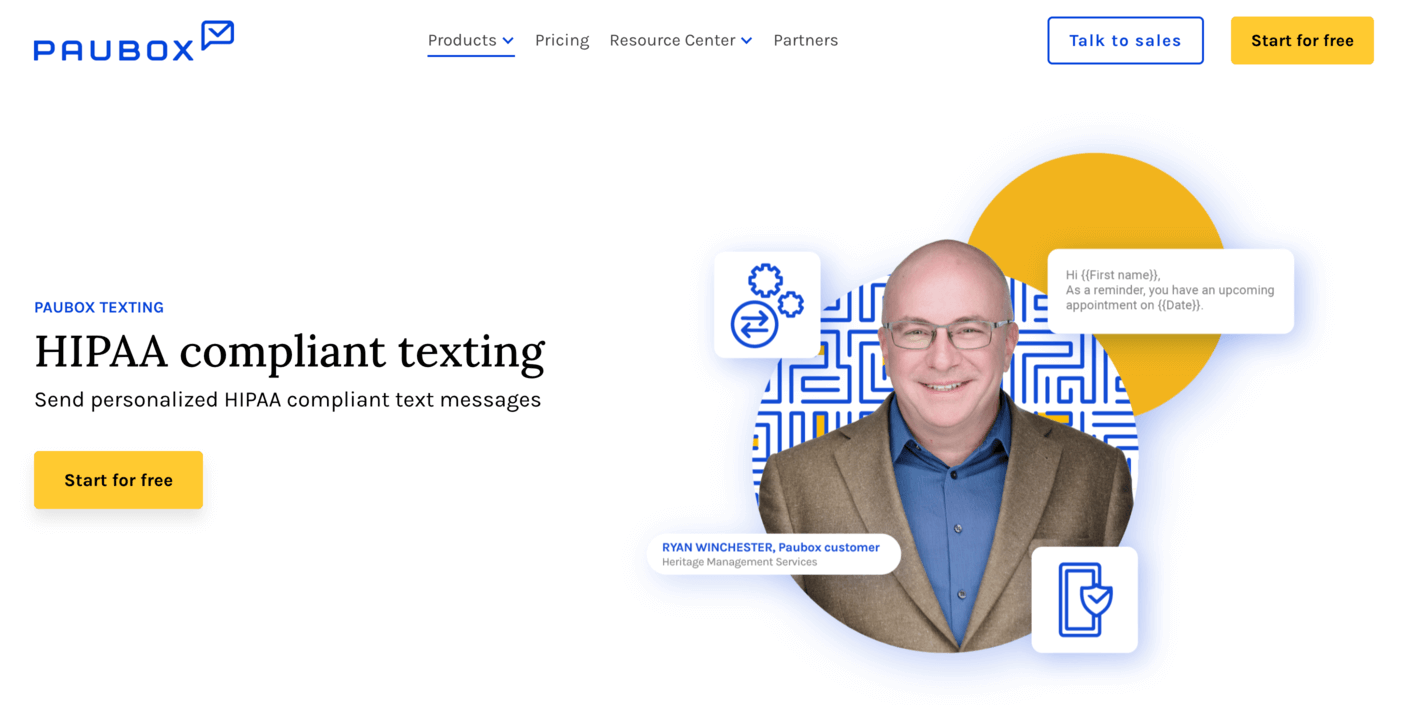
What it is: A HIPAA-compliant email platform that encrypts every outbound email automatically — no portals, no passwords, no extra clicks for the recipient. Plugs into Google Workspace, Microsoft 365, and Microsoft Exchange. Higher tiers add AI-powered inbound protection against phishing and malware. HITRUST CSF certified.
Best for: Small to mid-sized healthcare practices that want HIPAA-compliant email without forcing patients or staff to learn anything new.
Key features:
- Automatic outbound email encryption (zero-step for recipients)
- AI-powered inbound threat detection
- Integration with Google Workspace, Microsoft 365, and Microsoft Exchange
- Data loss prevention (DLP)
- Email archiving
- HIPAA-compliant email API
- BAA included with every plan
- HITRUST CSF certification
Limitations:
- Email only — not a patient engagement platform, not a messaging tool
- Pricier than some alternatives, though most customers seem to feel it's worth it
- The HIPAA forms builder is basic compared to standalone form builders
Pricing: Paubox Email Suite has three tiers (Standard, Plus, Premium) priced per sender. Third-party listings show roughly $29–$69 per sender per month. 14-day free trial. The separate Paubox Marketing product is free for up to 100 contacts, then scales up. Check paubox.com/pricing for current numbers.
6. Spok
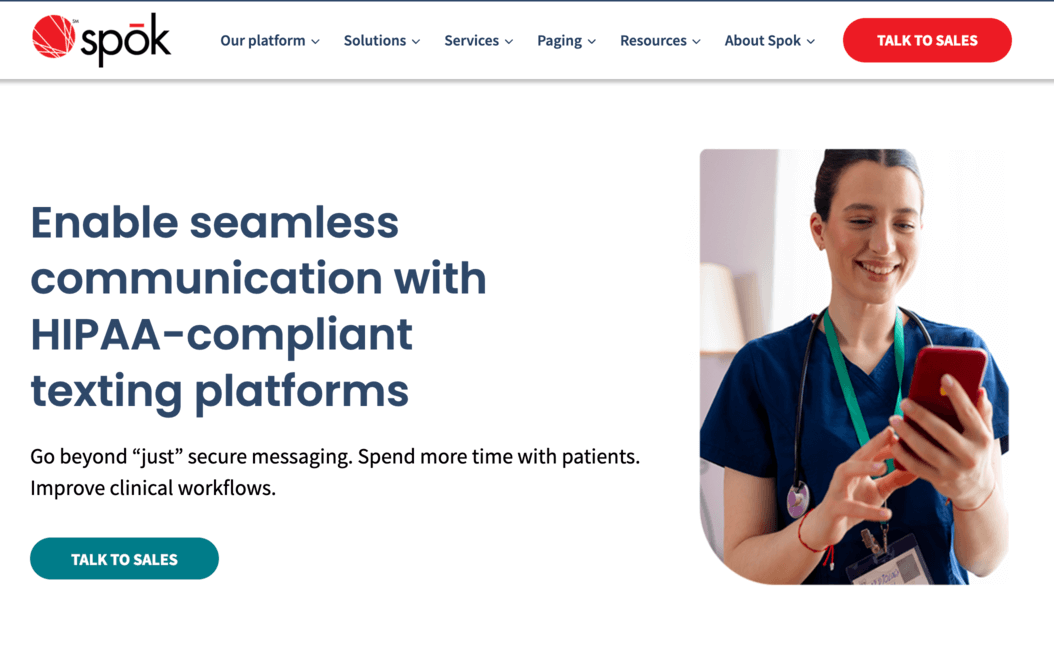
What it is: Spok Care Connect is a unified clinical communication solution built for hospitals. It goes well beyond secure messaging — paging, clinical alerting, contact center, on-call scheduling, and enterprise directory, all stitched into one HIPAA-compliant platform. If your hospital still runs on pagers, Spok is basically the biggest name in that world. Used by over 2,200 hospitals, including many top-ranked hospitals.
Best for: Hospitals and large health systems that depend on paging infrastructure and need messaging, alerting, and care coordination in one place.
Key features:
- HIPAA-compliant secure messaging (text, image, video) via Spok Mobile
- Clinical alerting and alarm management
- On-call scheduling
- Contact center with speech recognition (Spok Voice Connect)
- Enterprise staff directory
- EHR and HL7 integrations
- Paging support — Spok operates the largest paging network in the US with 99.92% reliability
- Audit trails, remote wipe, encrypted paging
Limitations:
- No public pricing
- Cost scales hard with team size and add-ons
- Implementation is a project, not a weekend
- The mobile UI feels dated next to modern messaging apps — multiple G2 reviewers flag this
Pricing: Custom quote from sales. Nothing published.
7. Notifyre
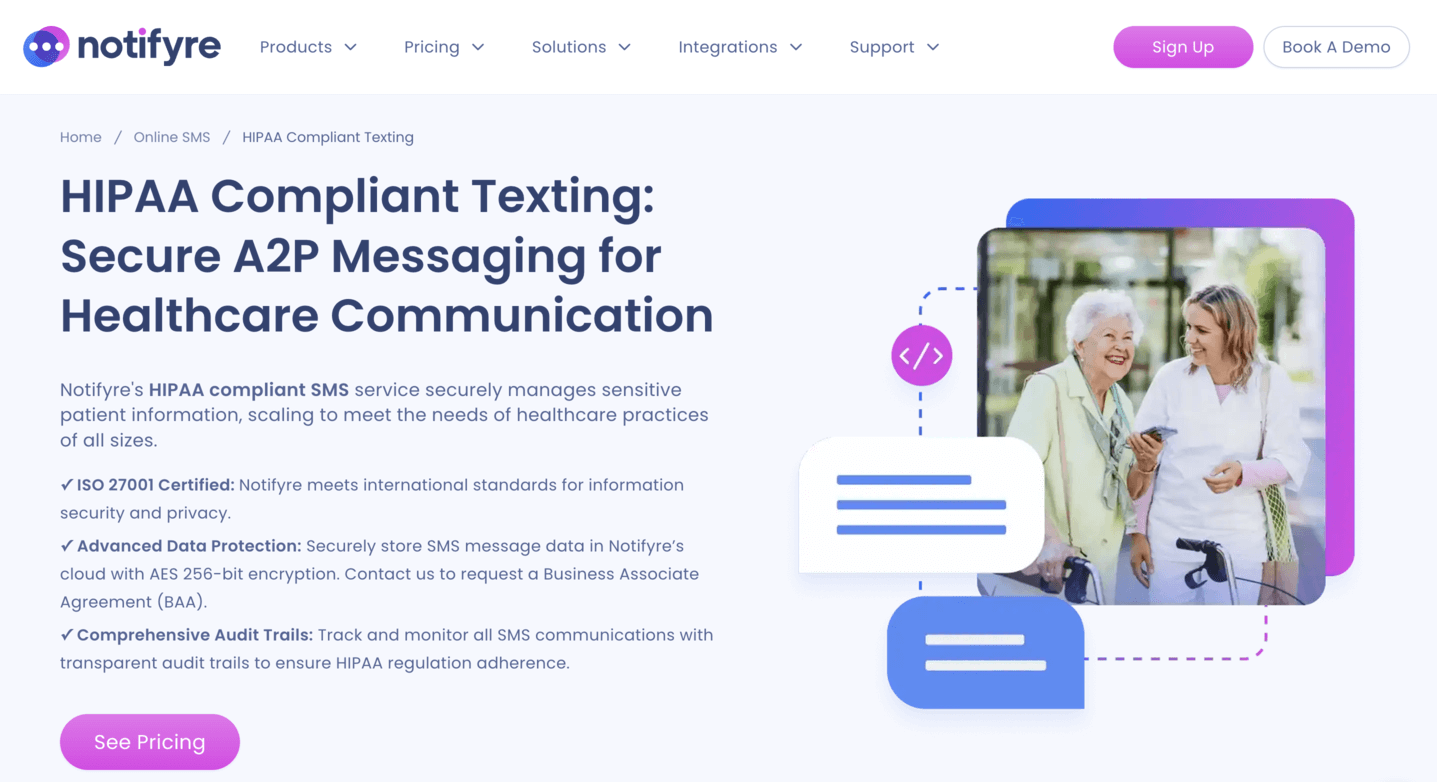
What it is: A multi-channel platform for HIPAA-compliant SMS, MMS, and online fax. It's pay-as-you-go — you load a wallet, each message deducts from the balance, no monthly minimums unless you add a receive-fax plan. Two-way messaging, fax broadcasting, APIs for SMS and fax, email-to-fax/SMS, AES-256 encryption, and ISO 27001 certification.
Best for: Healthcare providers and clinics that need HIPAA-compliant SMS and fax without signing an enterprise contract.
Key features:
- HIPAA-compliant SMS and MMS
- Two-way texting
- Bulk SMS
- Email-to-SMS and email-to-fax
- Online fax platform with number porting
- Fax broadcasting
- SMS and Fax APIs
- AES-256 encryption, ISO 27001 certified
- Role-based access, audit logs
- BAA included
Limitations:
- It's SMS and fax. That's the whole pitch. No patient portal, no appointment management, no telemedicine.
- For US SMS, 10DLC registration with The Campaign Registry is mandatory, which adds upfront cost and setup time.
Pricing: Pay-as-you-go. SMS starts at $0.02 per message part; fax starts at $0.03 per page. MMS is $0.05 per message. Minimum wallet top-up is $10. Receive-fax plans start at $4.90/month for 200 pages (includes a fax number). No lock-in contracts.
Conclusion
Choosing the right HIPAA-compliant messaging app is crucial for maintaining secure communication and ensuring patient data privacy in today's healthcare environment. Whether you're looking for powerful features like automated reminders, group messaging, or secure document sharing, there’s a solution tailored to your organization’s needs.
EngagedlyFX stands out as the top choice in 2026, offering an all-in-one internal communication platform specifically built for healthcare teams. With robust security, real-time updates, and a user-friendly interface, it's the ideal solution for connecting frontline staff and improving operational efficiency.
As healthcare continues to evolve, investing in the right communication tool isn’t just a compliance requirement—it’s a strategic advantage.
Frequently Asked Questions (FAQ)
What exactly makes a messaging app HIPAA compliant?
A HIPAA compliant messaging app must implement technical, administrative, and physical safeguards. This includes end-to-end encryption, audit trails, role-based access controls, remote wipe capabilities, automatic message deletion options, and a signed Business Associate Agreement (BAA) with the vendor.
Can standard SMS or messaging apps ever be HIPAA compliant?
No. Standard consumer SMS and messaging platforms, such as default texting apps on phones, do not provide encryption, audit logs, or BAA capabilities. Using them to share Protected Health Information (PHI) can result in noncompliance and significant legal penalties.
How do I choose between on-premise and cloud messaging solutions?
On-premise solutions give full control over infrastructure but have higher setup and maintenance costs. Cloud-based solutions are easier to scale and update but require careful vendor vetting and strong Service Level Agreements (SLAs) to ensure security, uptime, and compliance.
How often should messages be auto-deleted or expired?
Message expiration depends on your organization’s retention policies. Common practice is 24–72 hours for temporary communications, with longer retention for important records. Always align message retention with legal and compliance requirements.
Is integration with EHR or EMR systems necessary?
While not strictly required, integration improves usability by reducing context switching. When clinicians can access patient context directly within the messaging app, adoption rates increase and clinical decision-making becomes faster and safer.
How will implementing a HIPAA compliant messaging app affect clinical workflows?
If implemented correctly, HIPAA messaging apps streamline communication, reduce reliance on pagers and faxes, and accelerate decision-making. Successful adoption depends on proper change management, training, and governance to prevent misuse and resistance.
These frequently asked questions help clarify common concerns and guide healthcare organizations toward safer, smarter, and more efficient adoption of HIPAA compliant messaging apps.


















Recent articles




Operate. Connect. Perform.
EngagedlyFX delivers actionable insights and engagement tools to reduce turnover, increase productivity and improve employee well-being.